Loading...
Reliable tornado data sourced from official organizations:





Loading...
Reliable tornado data sourced from official organizations:
Everything you see on the Live tab, explained. Those colored shapes have meaning — here's how to read them.
Those shapes are warning polygons. When the National Weather Service issues a warning, they draw a shape around the specific area that's in danger. Each color means something different:
Red — Tornado Warning
A tornado has been spotted or detected on radar. This is the most urgent alert.
Orange — Severe Thunderstorm Warning
A storm with damaging winds (58+ mph) or large hail (1"+) is happening. No tornado, but still dangerous.
Yellow — Tornado Watch Zone
Conditions are favorable for tornadoes in this large area. Stay alert but no immediate danger.
The old system warned entire counties. The problem? A county can be huge. You might get a warning even though the tornado was 50 miles away from you.
Now, the NWS draws a polygon — a precise shape around just the area that's actually threatened. This means:
Storms move. As a tornado-producing storm travels, the NWS updates the warning polygon to follow it. You might see the polygon shift, grow, shrink, or change direction — that's the forecasters tracking the storm in real time.
When you tap on a warning, you can see the polygon progression — an animation showing how the warning area changed over time as updates were issued.
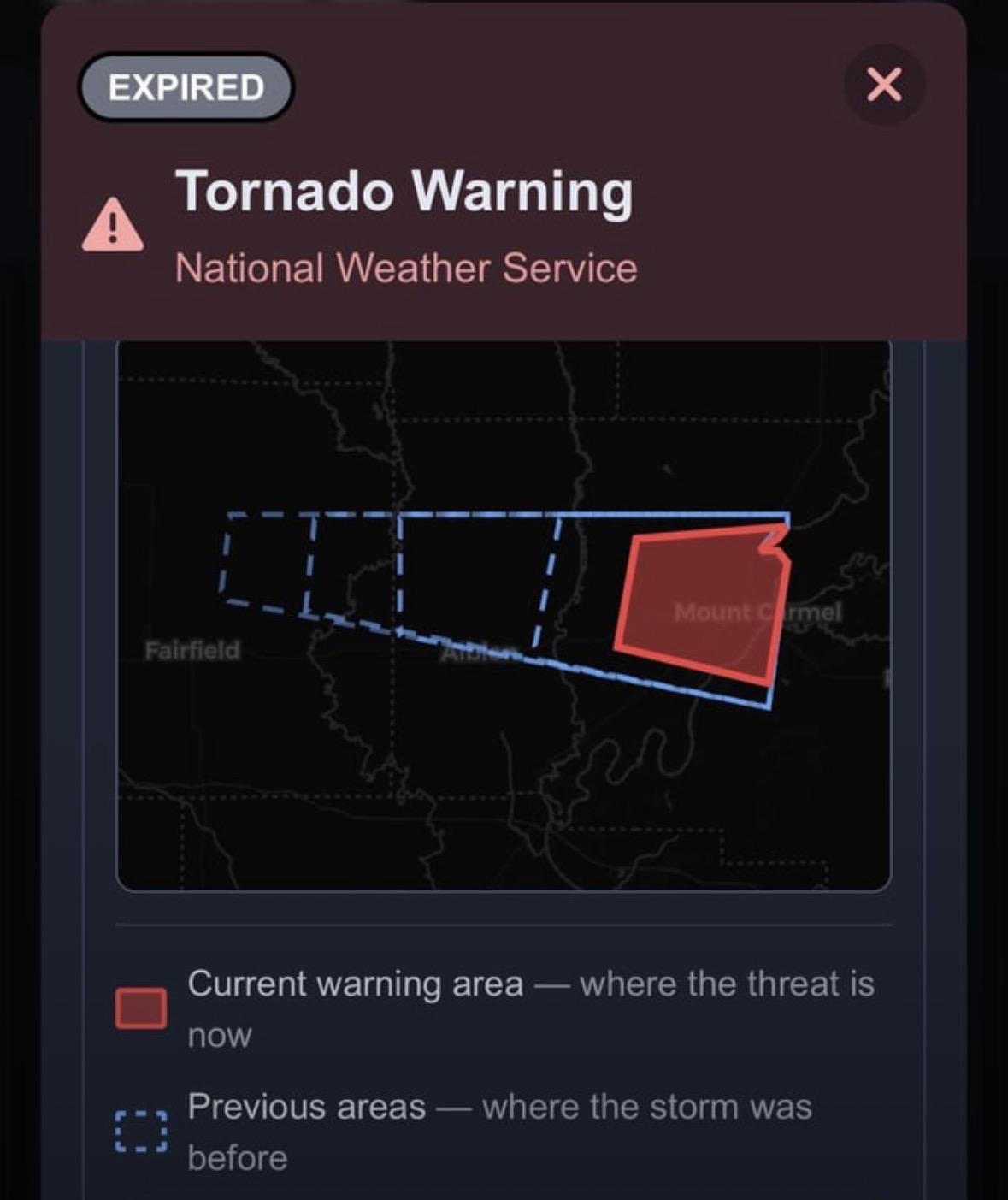
The dashed blue outlines show where the warning polygon was earlier. The solid red shape is where the threat is now. You can see the storm tracked east across Fairfield toward Mount Carmel.
Tapping any warning (on the map or in the list) opens a detail view that shows you:
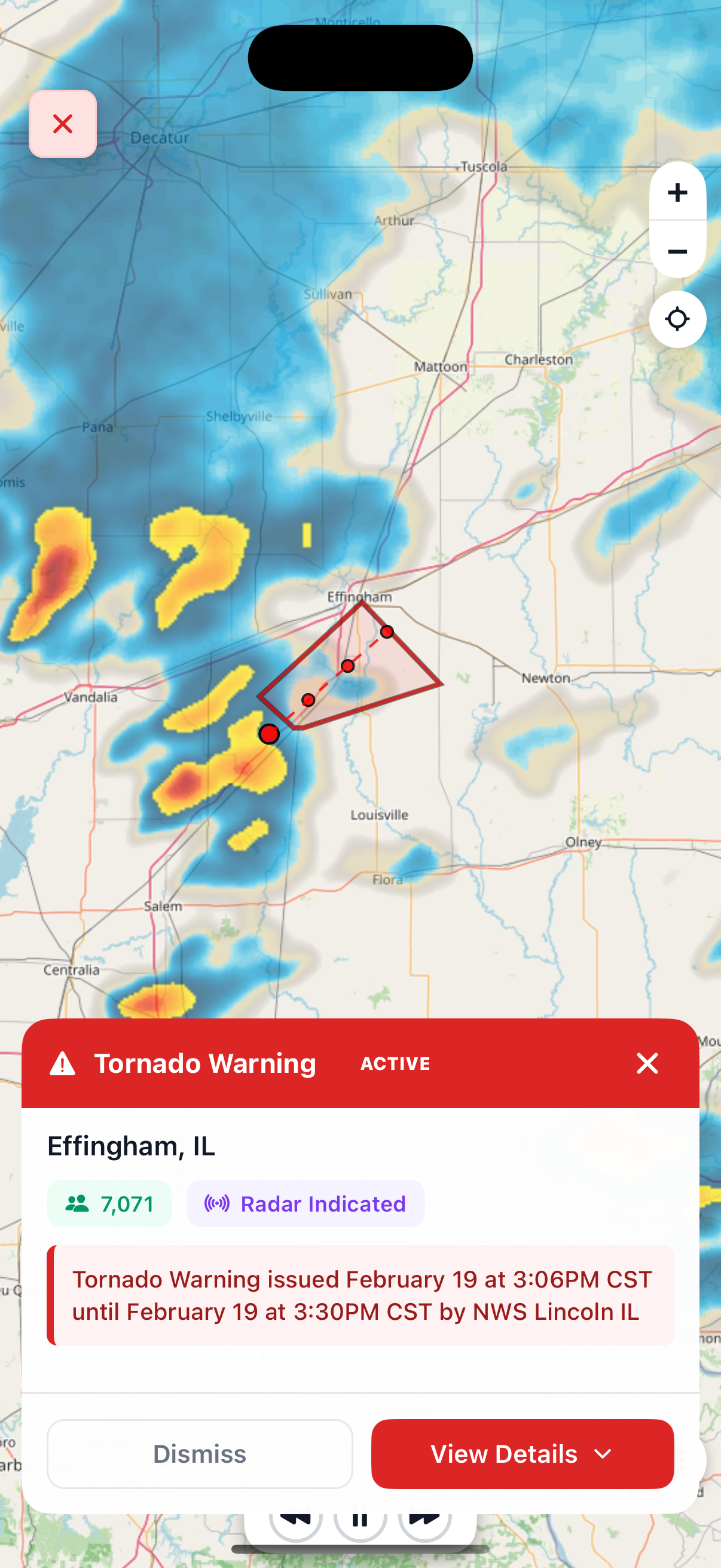
Tapping a warning shows the location, radar overlay, population affected, timing, and source. Hit "View Details" for the full NWS warning text and polygon history.
See a pulsing red dot at the top of the Live screen? That means there are active tornado warnings right now somewhere in the US. The number next to it tells you how many active warnings there are.
No dot? That means there are currently no active tornado warnings. That's a good thing.
Active warnings are currently in effect — the danger is happening now or is imminent.
Expired warnings have ended. The danger has passed. You can still review expired warnings to see what happened — tap the "Expired" section to browse past warnings by date.